App development workflow
There are 2 main workflows for developing App Builder apps with Dais:
- Remote UI Development
- Source Control Managed App
Remote UI Development
This is the default flow for creating apps in Dais. This involves developing your backend on your local machine, and developing the UI using App Builder deployed on a Dais cluster.
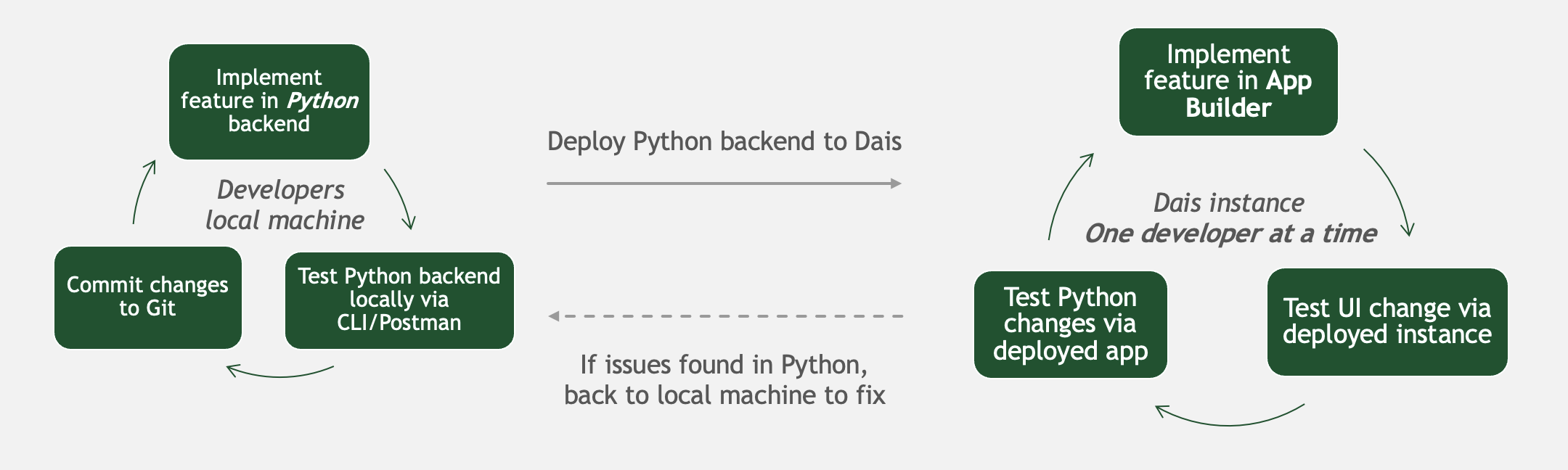
This flow has advantages and disadvantages:
- Advantage: quickest and simplest method of creating an app. With this flow, you can get an app deployed to the client in just a few clicks.
- Advantage: team members can make changes to the UI without needing to setup a development environment on their machine
- Disadvantage: Needing to make changes to the backend, then re-deploying the backend makes for a slower feedback loop
- Disadvantage: the UI of your app cannot be tracked via source control. This is often satisfactory for simpler apps, but becomes unwieldy for more complex apps.
This is the recommended flow for simpler apps, POC apps or non-production-critical apps.
Source Control Managed App
This is flow involves developing both the backend and UI of the app on your local machine, and tracking both via source control (i.e. Git). These assets are then deployed to a remote Dais cluster from the source repository.
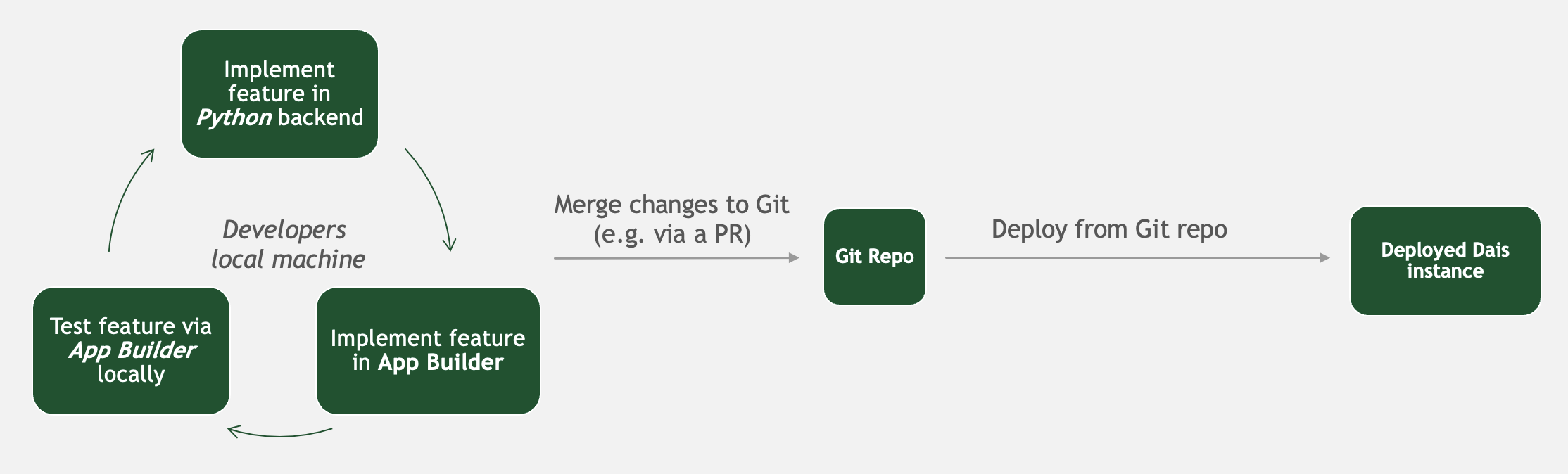
This flow has advantages and disadvantages:
- Advantage: tracking both the backend and UI configuration in source-control enables a more fully-featured development flow (i.e. using branches to implement new features, using PRs to review changes, etc)
- Advantage: developing the UI locally enables a much faster development loop
- Advantage: this development flow is often more familiar to developers who are new to Dais, making it easier to onboard new team members
- Disadvantage: all UI changes must be made via the local development environment and committed via source control
- This means a longer process to get a change deployed to the clients
- This can make it harder for non-technical users to contribute to the UI
To find out more about this development flow, see the README in our template repository here.
This is the recommended flow for complex apps, production apps, or teams with many developers contributing to the UI.